Wallets
Overview
Wallets represent your financial accounts - bank accounts, cash, cards, or any other place where you keep money.
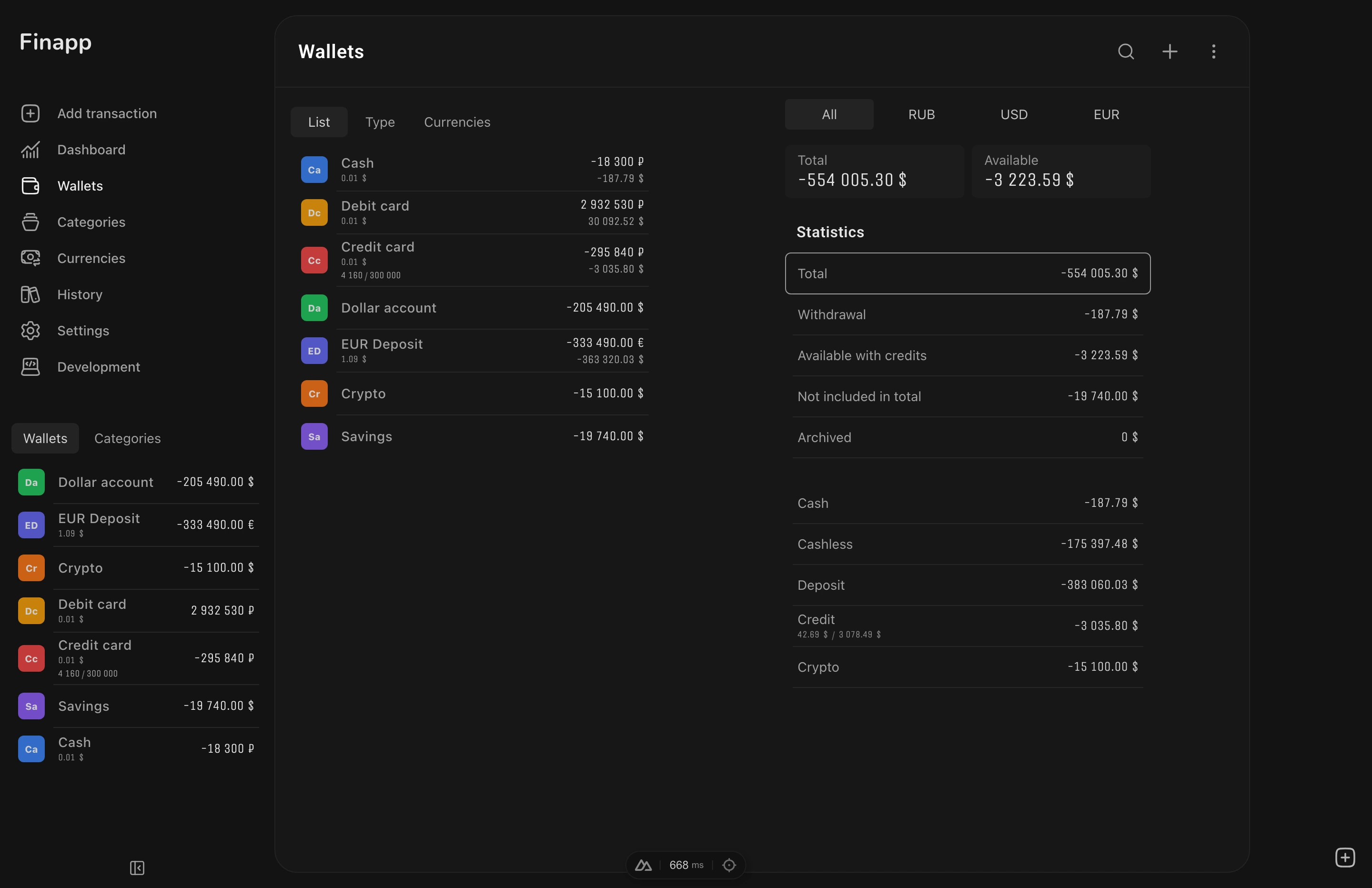
Wallet Types
Each wallet has a type that determines its behavior:
- Cash - physical cash
- Cashless - bank accounts and digital payment systems
- Credit - credit cards (supports credit limit)
- Deposit - savings deposits
- Crypto - cryptocurrency wallets
- Debt - loans and debts
Creating a Wallet
Go to Wallets → New. Fill in:
- Name - required, displayed everywhere
- Currency - opens a searchable modal with all 165 currencies. Used currencies appear first, then all others. Search by code or name. Default: USD
- Color - opens a bottom sheet with a color palette and custom color input. Shows a wallet preview with the selected color
- Type - cash (default), cashless, credit, crypto, deposit, debt
- Description - optional notes about the wallet
Optional Settings
| Setting | Effect |
|---|---|
| Credit limit | Only shown for credit type. Displays debt, available credit, and limit |
| Exclude from totals | Wallet balance not counted in total |
| Withdrawal | Mark as withdrawal account |
| Archived | Hidden from active lists and excluded from totals. Visible only in the Archived filter tab |
Wallet List
View all wallets with their balances.
Grouping
Group wallets by currency, by type, or use nested grouping (currency + type). Each group can be collapsed/expanded independently. A "toggle all" button expands or collapses all groups at once.
With nested grouping, the primary grouping (e.g., currency) creates top-level groups, and the secondary grouping (e.g., type) creates sub-groups within each.
Filter Tabs
Filter tabs at the top show aggregated totals per wallet type in your base currency:
| Tab | Shows |
|---|---|
| Total | All non-archived wallets |
| Cash / Cashless / Credit / Crypto / Deposit / Debt | Wallets of that type (archived wallets excluded) |
| Withdrawal | All wallets marked as withdrawal (archived wallets excluded) |
| Available | Withdrawal total minus credit card debt. Only shown when both withdrawal and credit wallets exist |
| Archived | Archived wallets only |
| Exclude in Total | Wallets excluded from totals (archived wallets excluded) |
Click a tab to filter the list. The total amount for each tab is displayed as a chip.
Archived wallets are fully excluded from all statistics and filter tabs - they only appear under the Archived tab. When switching currency makes the current filter empty (e.g., switching from a currency with archived wallets to one without), the filter automatically resets to Total.
Reordering
Reorder wallets with drag-and-drop (access via menu icon).
Wallet Detail
Click a wallet to see all its transactions with statistics breakdown. Switch between Summary, Expense, Income, and Split tabs - same as the Dashboard. Filter by date range.
Credit Card Display
For credit wallets with a configured credit limit, the detail page shows three values:
- Debt - current balance (how much you owe)
- Available - credit limit minus debt
- Limit - the configured credit limit
Actions
From the top-right menu on the wallet detail page: Edit opens the wallet form, Delete removes the wallet and all its transactions. The confirmation dialog shows how many transactions will be affected.
Initial Balance
New wallets start with a zero balance. To set the initial balance, create an Adjustment transaction with the desired amount. Adjustments don't affect statistics, so your reports stay clean. See Transactions - Adjustments for details.
Balance Calculation
Wallet balance is calculated as the sum of all transactions: income adds to the balance, expenses subtract from it. Transfers between wallets adjust both wallet balances accordingly.
Multi-Currency
Each wallet has its own currency. Finapp automatically fetches exchange rates and converts all balances to your base currency for unified totals.
Exchange rates are updated daily from Open Exchange Rates.
Next Steps
- Categories - set up categories to organize your transactions
- Transactions - record your first expense or income