Guide
Introduction
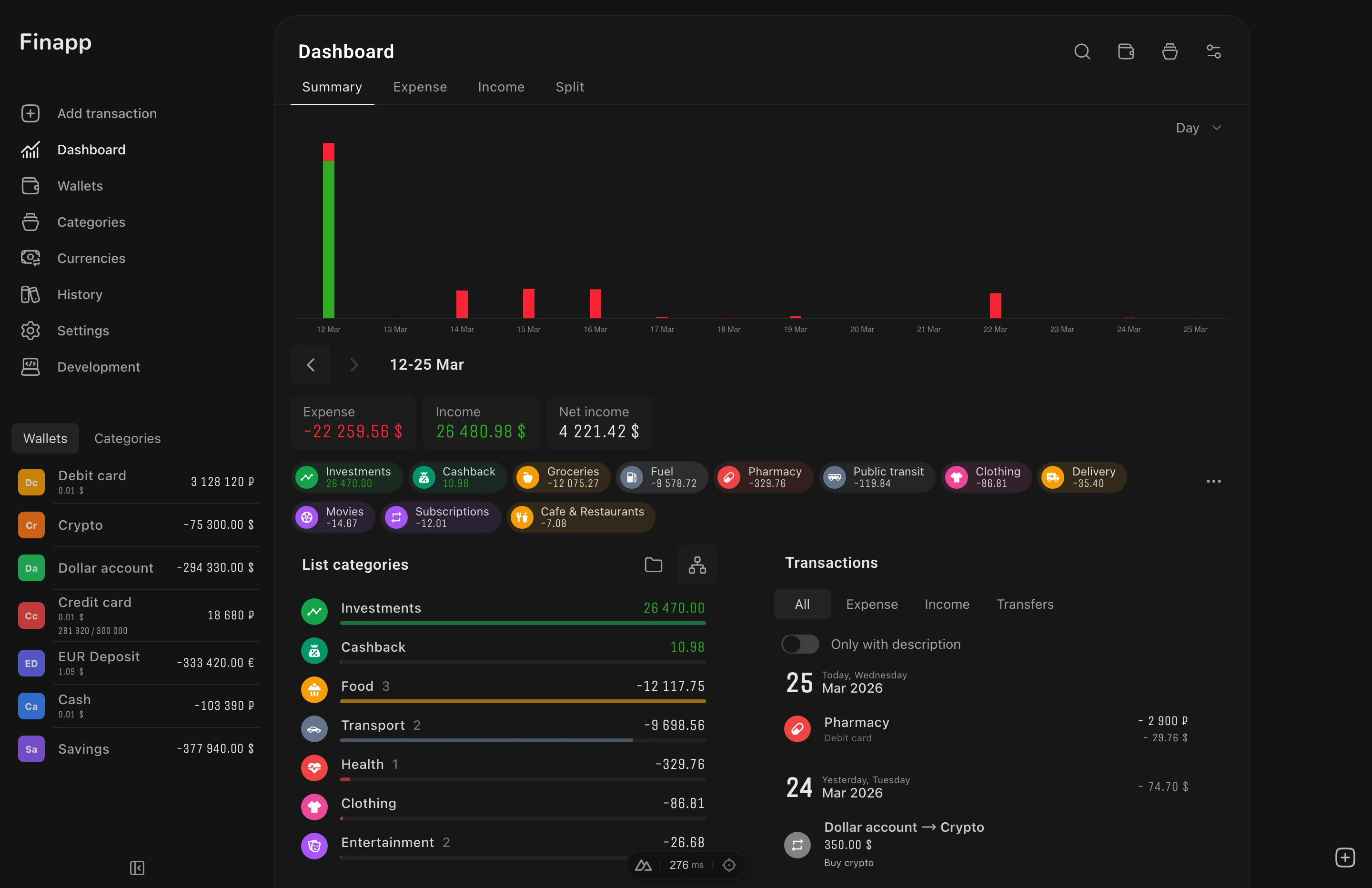
Finapp - a free open-source app for personal finance management.
Track your budget, analyze expenses and stay in control of your finances from any device.
Features
Finance Management
- Wallets - cash, bank cards, crypto, deposits, credit accounts - all in one place with a combined balance
- Transactions - record income, expenses and transfers between wallets with a built-in calculator
- Categories - create a hierarchy of categories with subcategories, icons and colors for detailed tracking
- Multi-currency - manage finances in different currencies with automatic exchange rates and base currency conversion
Analytics
- Charts - line and bar charts with average value display
- Reports - detailed breakdown by categories, wallets and periods
- Periods - analyze by day, week, month and year with quick navigation
- Filters - select date ranges, categories and wallets for precise analysis
Convenience
- Works everywhere - responsive interface for desktop, tablet and mobile
- Installable - add to your home screen and use as a native app (PWA)
- Offline - works without internet, automatically syncs when back online. See Authentication for details
- Two languages - English and Russian interface
Customization
- Themes - light, dark and automatic based on system settings
- Colors - choose primary and background color from 20+ options
- Border radius - adjust the roundness of interface elements
- Dashboard - toggle widgets on and off, choose chart and list views
Getting Started
You can try Demo Mode right away without signing up - the app will load sample wallets, categories and transactions.
For full use, sign in with Google to sync data across devices.
Onboarding
On first sign-in, Finapp guides you through a step-by-step setup. Each step shows a description and a single action button:
- Create a wallet - while no wallets exist, the app prompts you to create your first one. The button navigates to the wallet creation page.
- Create a category - after creating a wallet, a prompt appears to create your first category. The button navigates to the category creation page.
- Add a transaction - once you have both a wallet and a category, the app suggests recording your first transaction. The button opens the transaction form.
The onboarding disappears automatically after you create your first transaction. Each step only appears after the previous one is completed - you never see all three at once.
Keyboard Shortcuts
Finapp supports keyboard shortcuts for quick access to core features (desktop only):
| Shortcut | Action |
|---|---|
Cmd+G | Open/close transaction form |
Cmd+\ | Toggle sidebar |
Escape | Close transaction form |
Enter | Confirm action in dialogs (delete, confirm) |
On Windows and Linux, use Ctrl instead of Cmd.
Tech Stack
- Vue 3 - reactive component framework
- Nuxt 4 - Vue meta-framework
- Nuxt UI - component library
- Tailwind CSS - utility-first styling
- Supabase (Postgres) - backend database
- PowerSync - offline-first sync
- Supabase Auth - authentication (email/password)
Next Steps
- Install the App - add Finapp to your device as a PWA
- Authentication - sign in with Google to sync across devices